Can AI Detection Verify Take-Home Coding Tests?
AI code detectors can't reliably prove a candidate used AI. Here's a simpler way to verify take-home coding tests: a short live walkthrough of the candidate's own code.
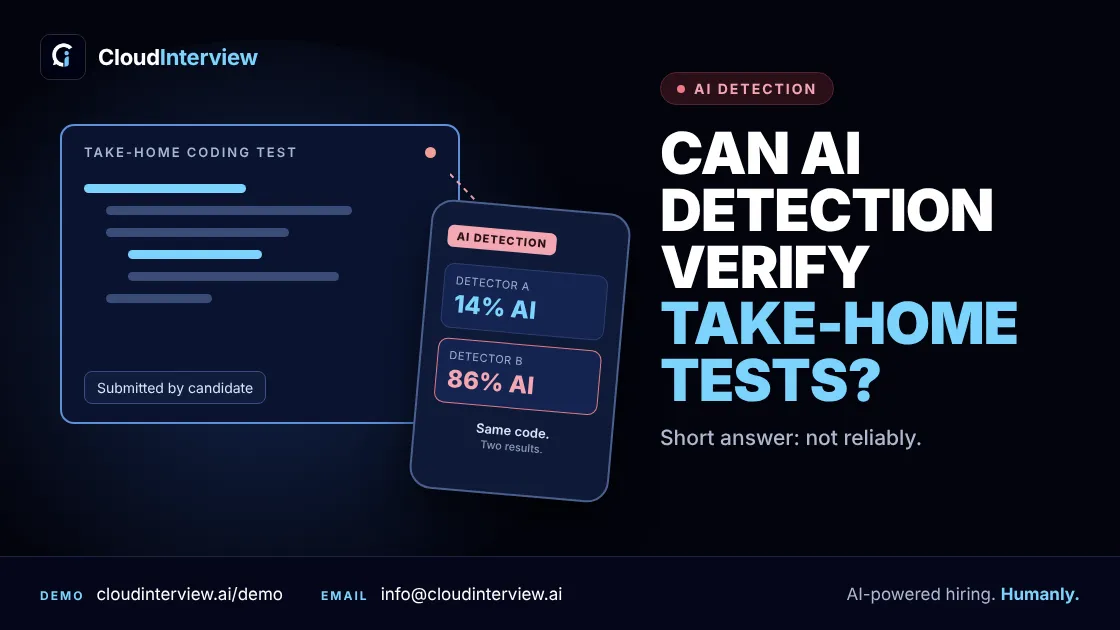
Short answer: no, not reliably. AI detection tools can guess whether code was written by AI. They can't prove it. And they often get it wrong in both directions.
So if you're asking, "Did this candidate use AI on the take-home test?", you're asking a question no tool answers well. A better question is: "Does this candidate understand the code they sent?" You can check that in about 15 minutes.
This guide covers why detectors fail on code, what to do instead, and the exact questions to ask.
Why AI detectors struggle with code
Code is short, and it follows strict rules. Clean code written by a careful engineer often looks a lot like code written by AI. That's the core problem.
- Even OpenAI pulled its own detector. Its AI text classifier caught only 26% of AI-written text and wrongly flagged human writing 9% of the time. OpenAI shut it down in July 2023 because of its low accuracy. That tool was built for text. Code is harder.
- Research on code is no better. A Monash University study tested five detectors on 5,069 code samples and found they performed poorly at telling human code from AI code. A UC Irvine study reached the same result: existing tools perform poorly and don't generalize across languages and models.
- Small edits make it worse. Rename a few variables or reword the comments, and detection gets weaker still.
The real risk: rejecting honest candidates
A missed cheater is bad. A false flag can be worse.
If a detector wrongly marks a strong engineer's code as "AI-written," you lose a good hire. You also can't explain the decision. A score from a tool is not evidence you can show a candidate, a hiring manager or a lawyer.
Use a detector score, if you use one at all, as a reason to ask more questions. Never use it as a verdict.
The bigger shift: using AI is now normal
Developers use AI at work every day. 84% of developers say they use or plan to use AI tools in their work, according to Stack Overflow's 2025 Developer Survey. Some employers have stopped fighting it. Canva now expects engineering candidates to use tools like Copilot, Cursor and Claude in its technical interviews.
At the same time, some candidates go too far. 28% of job seekers admit to using AI to generate fake work samples, per Greenhouse's 2025 Workforce & Hiring Report.
So the line isn't "AI or no AI." The line is real understanding versus copy and paste. A take-home file can't show you which side a candidate is on. A conversation can.
What actually verifies a take-home test: the live walkthrough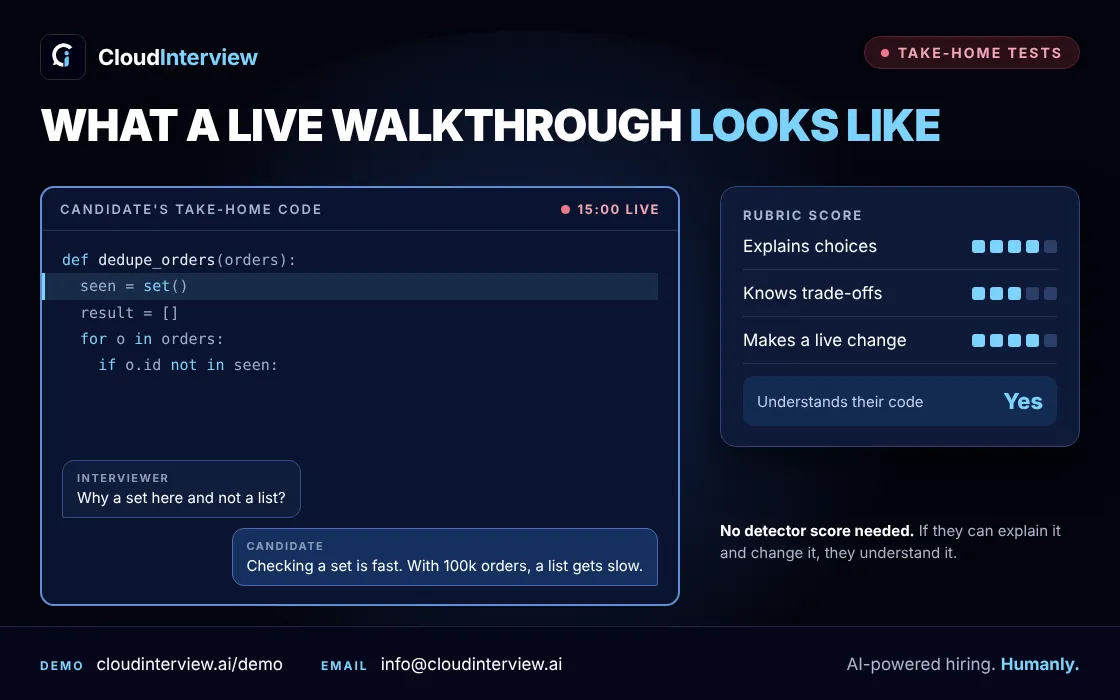
Here's a simple process that works whether you allow AI or not.
- Keep the take-home short. Aim for one to two hours. Long tasks push people to outsource the work.
- Put your AI rule in writing. Allowed, not allowed, or allowed with disclosure. Candidates can't follow a rule they never saw.
- Add a 15-minute walkthrough. The candidate shares their screen and explains their own code.
- Ask for one small change, live. For example: "Add input validation here." Someone who wrote the code, or truly understands it, can do this. Someone who pasted it usually can't.
- Score the conversation with a rubric. Rate reasoning, trade-offs and the live change, not a gut feeling. Our technical interview scorecard template is a good starting point.
6 questions to ask in the walkthrough
- Walk me through how you approached this. What did you try first?
- Why did you choose this data structure over another one?
- What is the weakest part of this code?
- What happens if the input is empty? What if it's 100 times bigger?
- If you used AI, where did it help, and what did you have to fix?
- Can you change this function now and talk me through it?
None of these have a textbook answer. They are about this candidate's own code, which is why they're hard to fake.
Red flags during the walkthrough
- They can't explain a function they say they wrote.
- A small change to their own code takes them a long time, or they can't make it.
- Their explanation describes a different approach from the one in the code.
- Answers stay general and never point to specific lines.
One red flag isn't proof. Nerves are real. Look for a pattern, and score it the same way for every candidate. For broader warning signs, see our guide to interview cheating.
AI detector vs live walkthrough
| AI detection tool | Live walkthrough | |
|---|---|---|
| What it checks | Patterns in the file | The candidate's understanding |
| What you get | A probability score | A conversation you can review |
| Wrong flags on honest people | Common | Lower, if you use a rubric |
| Works if you allow AI | No | Yes |
| Time needed | Seconds | About 15 minutes |
How CloudInterview helps
CloudInterview builds the walkthrough into the interview, so you don't have to rely on a detector.
- AI Interviews: candidates write code live with test runs, and the AI asks follow-up questions about their choices. You get scores, transcripts and recordings for every candidate.
- Interview Outsourcing: a vetted human expert runs the technical round and scores it on a structured scorecard, with a recording you can review.
Either way, you check what matters: whether the person can explain and change their own code. If you're also dealing with stand-ins or fake identities, read about proxy interviews, candidate identity verification, and automated technical screening.
Want to see it on your own roles? Book a demo or start free.