AI Hiring Software for Frontline Jobs: What Actually Cuts Time-to-Hire
Hourly candidates take the first job that calls back. Here's what AI hiring software for frontline jobs needs to do to cut time-to-hire, and what it shouldn't decide.
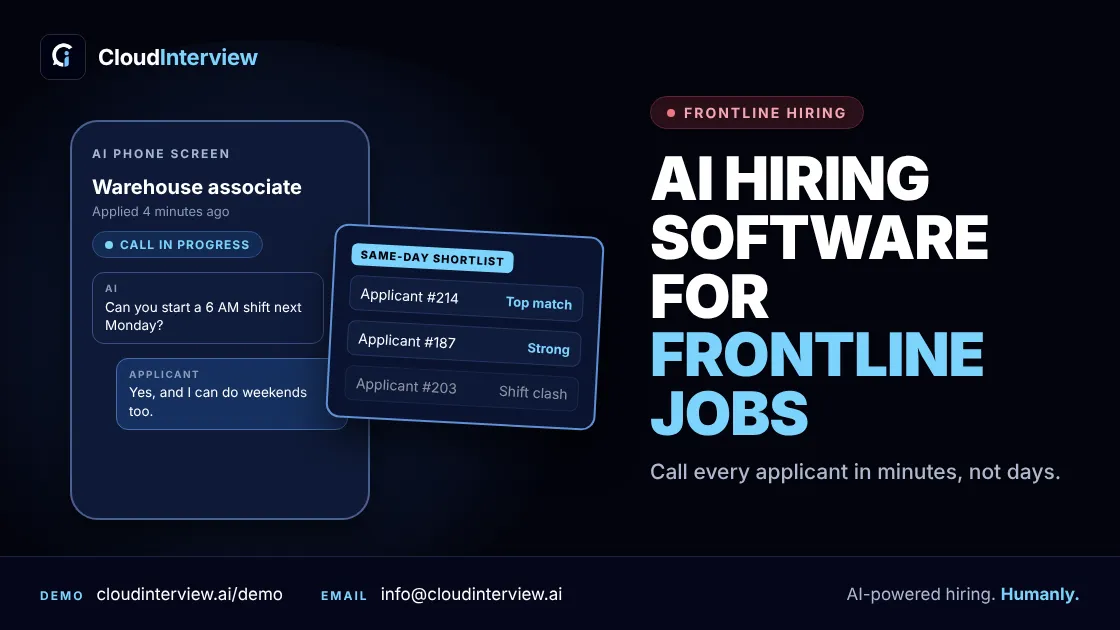
Short answer: the AI staffing software that cuts time-to-hire for frontline jobs is the kind that removes waiting. It contacts every applicant within minutes, screens them on the job's real needs, like shifts, location and start date, and gives the hiring manager a ranked shortlist the same day.
For most hourly roles, that means AI phone screening. Not another app, not a long video step, and not more scheduling tools.
This guide covers why speed matters so much in frontline hiring, where the days actually go, and what to look for before you buy.
Frontline hiring is a speed race
Hourly workers apply to several jobs at once, usually from a phone. The first employer to call often gets the hire.
- People leave fast. In August 2026, the quits rate in accommodation and food services was 3.5%, compared with 1.9% for all nonfarm jobs, according to the U.S. Bureau of Labor Statistics. Retail was 3.0%. High turnover means you are always hiring.
- Candidates want an answer. In ZipRecruiter's job seeker survey, 67.9% said they wish employers would respond fast, even if the answer is no. 28.2% said they had received more than one offer.
- Offers get accepted quickly. In iCIMS' 2025 UK frontline report, 72% of workers accepted a job offer within 48 hours.
So a good candidate who waits three days for your call has probably already started somewhere else.
Where the days actually go
Most frontline hiring isn't slow because of the interview. It's slow because of everything around it:
- Waiting for first contact. Applications sit in the ATS until someone has time.
- Phone tag. The recruiter calls during the day. The candidate is on shift and can't pick up.
- Booking the screen. Finding a slot takes another day or two.
- The screen itself. Ten minutes of the same questions, over and over.
- Manager review. Notes are uneven, so the manager calls people back.
Here's the math. Say you get 300 applicants for 25 warehouse shifts. If each phone screen takes 10 minutes, that's 50 hours of calls before a single interview. That's more than a full work week for one recruiter.
What to look for in AI hiring software for frontline jobs
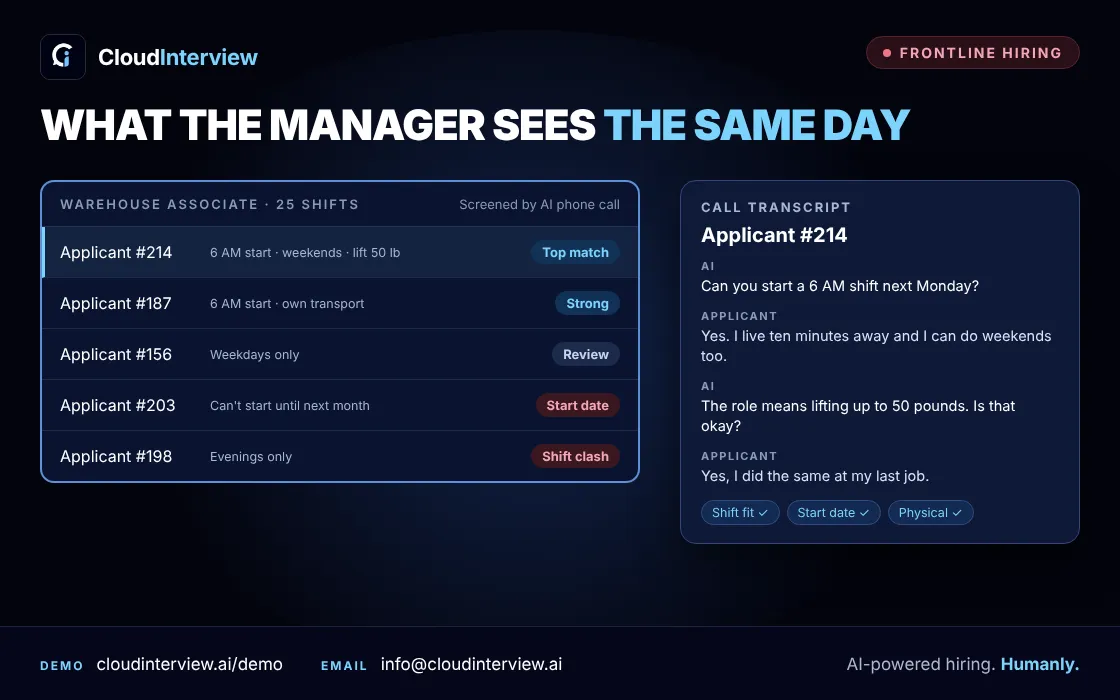
- It reaches out within minutes, 24/7. Applicants should hear from you while they still remember applying, including nights and weekends.
- It works on any phone. A voice call needs no app, no login and no camera. That matters for people applying on a break.
- It asks your must-have questions. Shift availability, travel to the site, start date, certifications and physical requirements. These rule people in or out quickly and fairly.
- It ranks candidates and shows the evidence. The manager should see a shortlist with a transcript for each person, not just a score.
- A person makes the final call. The software screens. Your team decides who gets hired.
- It keeps the screen short. Five to ten minutes is enough for most hourly roles. Long screens lose people.
- It fits your process. Ask how results get to your team and whether it connects with the ATS you already use.
Questions an AI phone screen should ask
Keep them specific to the job. Generic questions waste the call.
- Retail: Can you work weekends and holiday shifts? Tell me about a time you helped an upset customer.
- Warehouse: Can you lift 50 pounds and stand for a full shift? Do you have reliable transport for a 6 AM start?
- Restaurants: Have you worked a busy service before? Which shifts can you cover this week?
- Healthcare support: Which certifications do you hold? Are you comfortable with rotating shifts?
- Call centers: Walk me through how you'd handle a customer who wants a refund you can't give.
Manual phone screen vs AI phone screen
| Manual phone screen | AI phone screen | |
|---|---|---|
| First contact | Hours or days | Minutes |
| Available | Office hours | 24/7 |
| Questions | Vary by recruiter | Same for every candidate |
| What the manager gets | Notes, if any | Ranked list with transcripts |
| Recruiter time per 300 applicants | About 50 hours | Review time only |
For a deeper comparison, read AI phone screening vs manual recruiter calls.
What AI shouldn't decide
AI is good at the first round: asking the same questions, at any hour, to everyone. It shouldn't make the hiring decision, handle requests for accommodations, or negotiate pay. Keep a person on those, and review the shortlist before anyone is turned down.
How CloudInterview helps
- AI Calling: calls applicants and screens them by voice, any time of day. You set the questions for each role. Candidates are ranked right away, with a transcript of every call.
- AI Interviews: for roles that need a deeper conversation, such as shift leads and supervisors, with follow-up questions, scores and recordings.
Your managers spend their time on the shortlist, not on phone tag. If scheduling is your main bottleneck, see AI interview scheduling for high-volume hiring.
Hiring for hourly roles this month? Book a demo or start free.